Become a team member for a customer
To help your customer with setup, translations or ongoing management, ask them to invite you as a team member for the Site you’ll work on. You then work in your customer’s Site with your own Clonable account.
Choose the right role
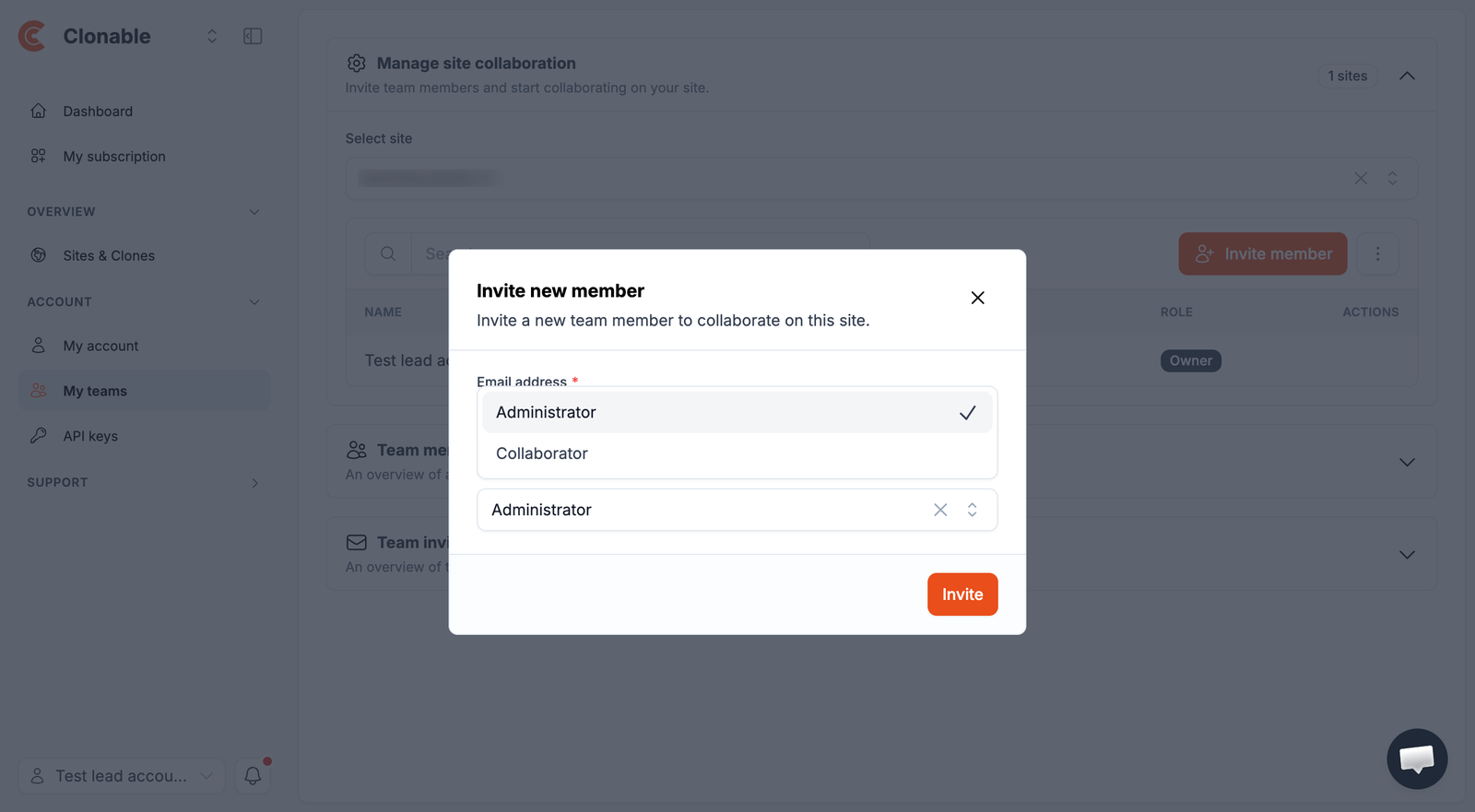
Your customer chooses a role for you when they send the invitation. There are two roles:
| Role | What you can do |
|---|---|
| Administrator | Everything except viewing or changing billing details. This means you can view and edit the Clones and change the Site settings. |
| Collaborator | View and edit the Clones, but not the Site settings. |
As a partner, always ask for the Administrator role. This gives you access to everything you need to help your customer.
Get invited and accept the invitation
Give your customer the email address you use to sign in to Clonable.
Ask your customer to invite you. Your customer does this as follows:
- Open My teams in the left-hand menu.
- Under Select site, choose the Site you’ll work on.
- Select Invite member.
- Enter your email address, choose the Administrator role and select Invite.
Open My teams in the left-hand menu and accept the invitation under Team invites. The Site then appears under Team memberships. Open the Site and check that you can access the settings you need.
If the invitation is missing, ask your customer to check the email address they used.
Agree with your customer who will carry out the work and who will manage the subscription and billing. Read more under Help your customer get started.
Check the connection for commission
Your role as a team member determines what you can do on the Site. Whether you earn commission depends on the connection to your partner account. Read about the difference between connecting and team member.
You only earn commission for a customer who is connected to your partner account. Open Manage leads in the left-hand menu and check that your customer shows Pending in the Status column before your customer starts a paid subscription. Pending means the customer account is connected to your partner account.
Is the customer missing? Contact Clonable through the chat in the bottom-right corner of the dashboard or through Support > Ticket center. Ask your customer to wait with payment until Clonable has checked the connection. See how to connect a customer.