Commission and payouts
As a partner, you earn commission for customers connected to your partner account. Clonable pays out this commission through Stripe, so connect your Stripe account first.
Connect your Stripe account
- Open the Dashboard and select Go to Stripe dashboard in the Payout information block.
- Enter the details Stripe asks for.
- Link your bank account or credit card. This is where you receive your payouts.
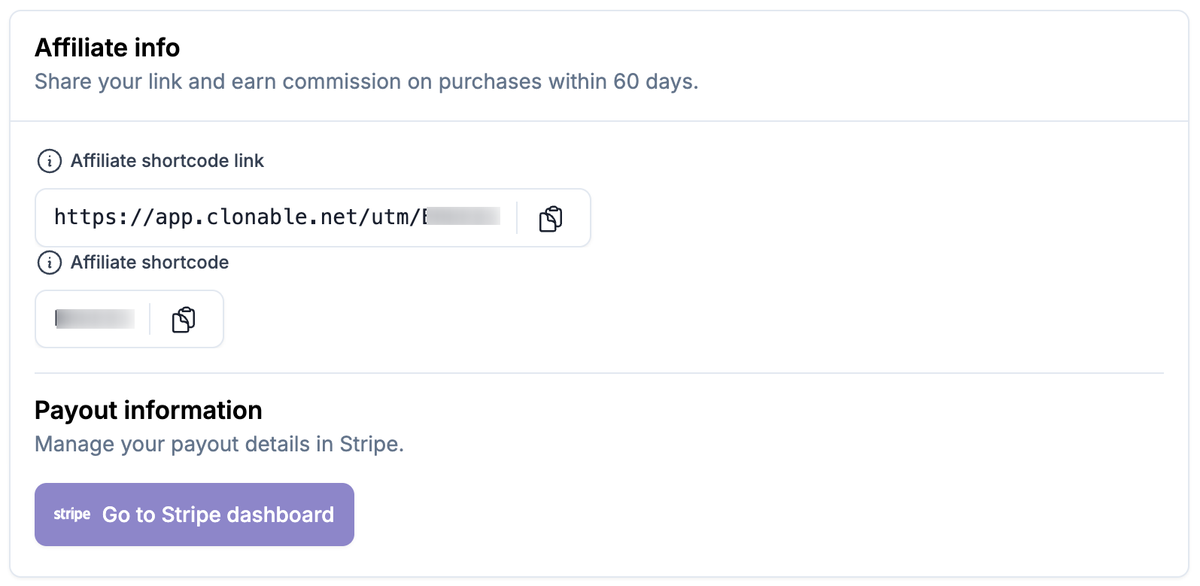
Once your Stripe account is connected, you are entitled to a year of the free Business plan.
When you earn commission
You earn commission when a connected customer has a paid subscription and meets the partner programme terms. The standard rate is 20%.
You only earn commission for a customer who is connected to your partner account. Open Manage leads in the left-hand menu and check that your customer shows Pending in the Status column before your customer starts a paid subscription. Pending means the customer account is connected to your partner account.
Is the customer missing? Contact Clonable through the chat in the bottom-right corner of the dashboard or through Support > Ticket center. Ask your customer to wait with payment until Clonable has checked the connection. See how to connect a customer.
Review your earnings and payouts
Open Earnings & invoices in the left-hand menu to review your commission and related financial documents. Clonable pays out your commission in the month after the customer has paid the invoice. You therefore receive the payout 30 to 60 days after the customer’s payment. Payouts go to the bank account or credit card you linked in Stripe.
Does an amount look wrong or is a payout missing? Contact Clonable and include:
- the customer
- the period
- the amount you expected
You can reach Clonable from the dashboard in two ways:
- Chat: open the chat window in the bottom-right corner of the dashboard. On weekdays from 9:00 to 17:00 (Netherlands time), you chat with the support team. Outside those hours, an AI assistant answers your question.
- Ticket: go to Support > Ticket center in the left-hand menu and select Open New Ticket.