Create and share a demo
Create a free demo to show your customer what their own website looks like in another language. You create and manage demos under Your demos, in the Partner area section of the left-hand menu.
Create and review the demo
Open Your demos and select Create demo.
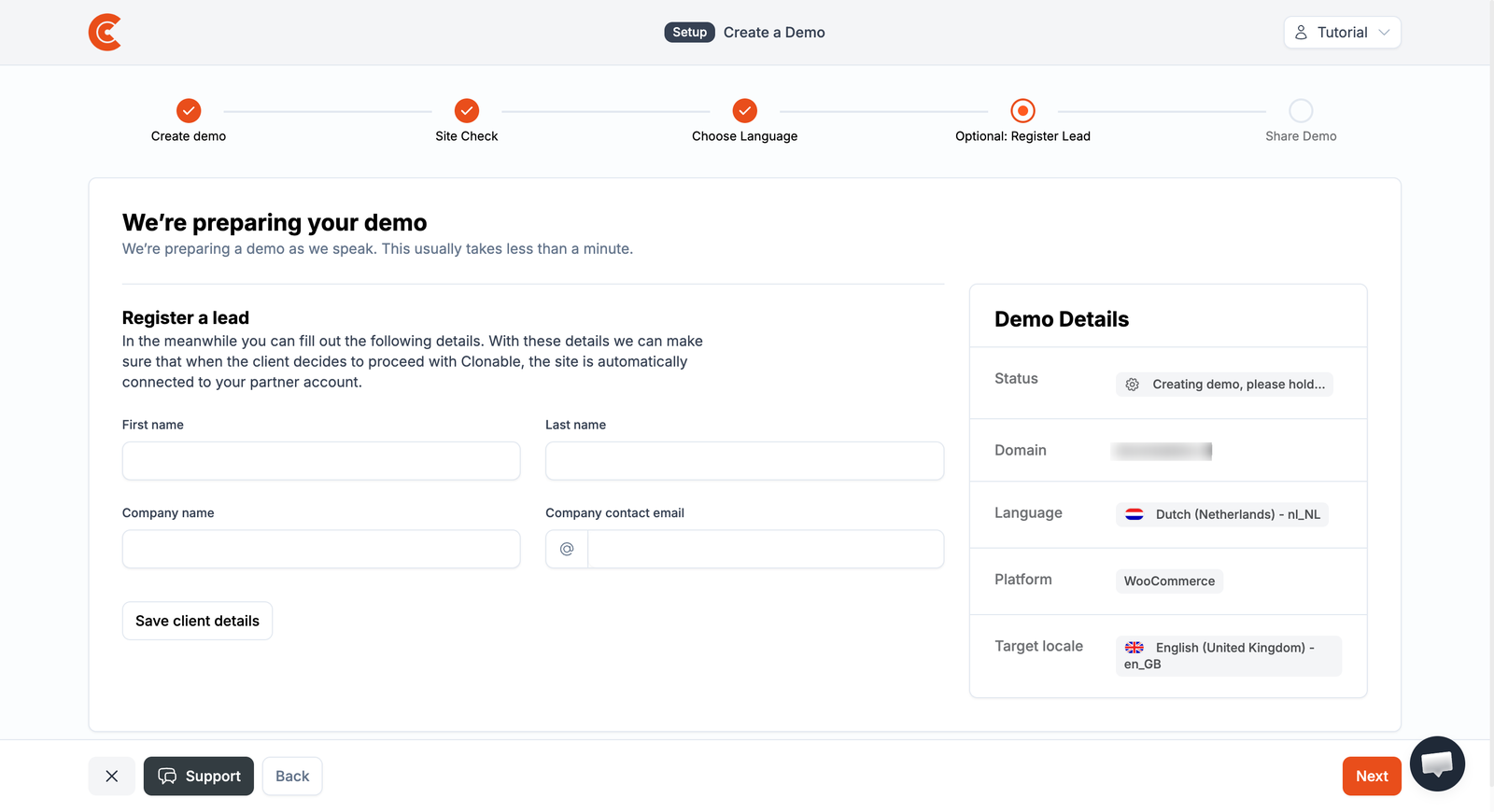
Follow the steps the dashboard guides you through:
- Create demo: enter your customer’s website.
- Site Check: Clonable checks the website.
- Choose Language: choose the language of the demo.
- Optional: Register Lead: enter your customer’s details and select Save client details. This step is optional, but we recommend completing it. If you fill in anything, all fields are required. This records your customer’s details straight away. While you fill this in, Clonable creates the demo. This usually takes less than a minute.
- Share Demo: your demo is ready. This step shows the link and access code.
Open the demo and check key pages and features. See what you can check and try in Demo settings.
Share the link and access code
In the Share Demo step, copy the Preview URL and Preview access code and send them to your customer. Point out pages to review and mention any issues you found. The demo then also appears under Your demos and in your Sites & Clones overview.
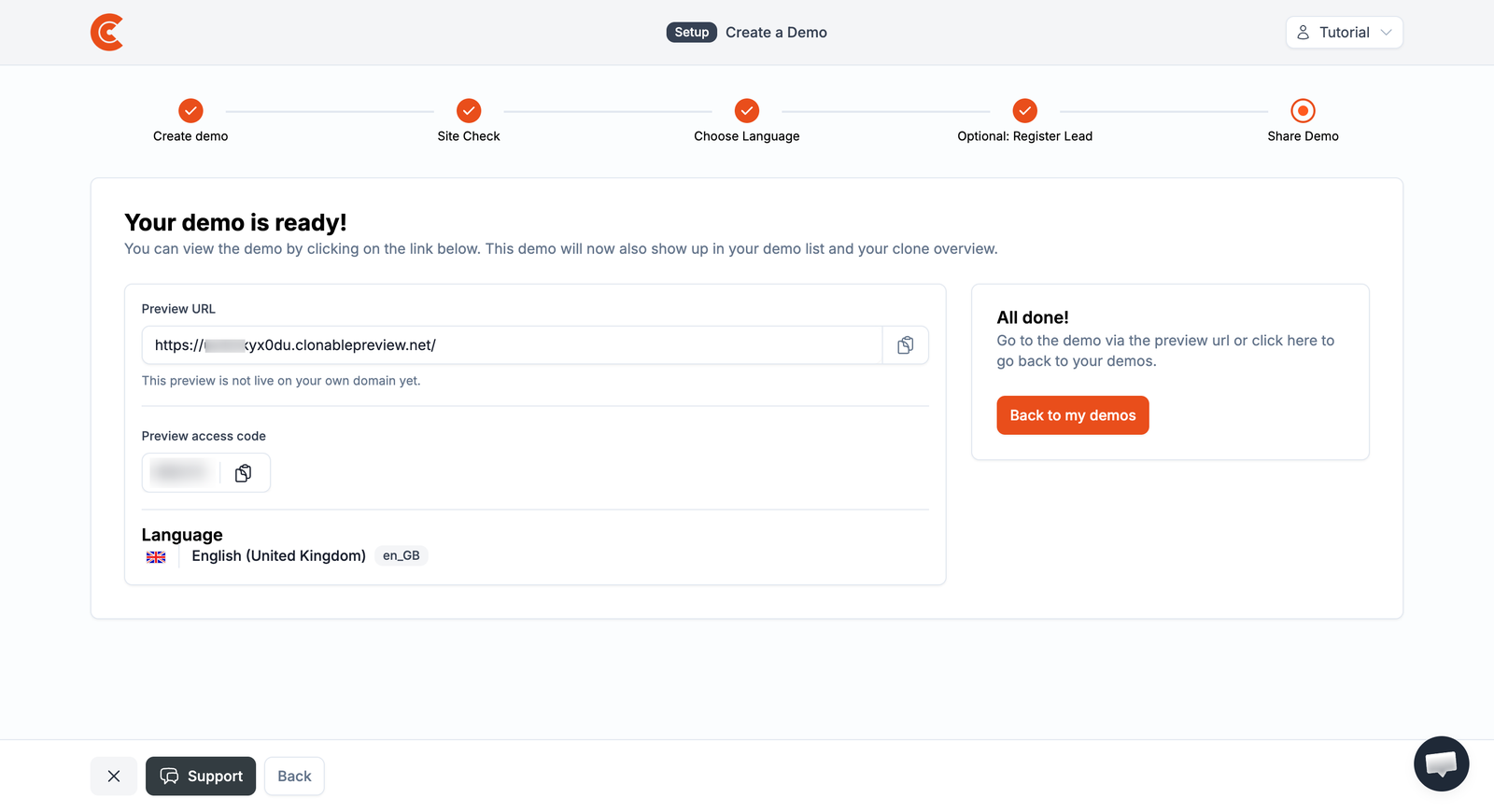
The Preview URL is a temporary address on clonablepreview.net. The demo is not live on your customer’s own domain yet.
Help your customer get started
The demo is only meant to show what the website looks like in another language. Does your customer want to proceed with Clonable? Then they create their own Clonable account, add the website and create a Clone. The demo settings are not carried over.
Make sure the customer is connected to your partner account before they sign up. Check under Manage leads that the customer is listed as a lead. If the customer is missing, add the customer as a lead.
You only earn commission for a customer who is connected to your partner account. Open Manage leads in the left-hand menu and check that your customer shows Pending in the Status column before your customer starts a paid subscription. Pending means the customer account is connected to your partner account.
Is the customer missing? Contact Clonable through the chat in the bottom-right corner of the dashboard or through Support > Ticket center. Ask your customer to wait with payment until Clonable has checked the connection. See how to connect a customer.
To help with setup, ask the customer for a team member invitation.