Use your affiliate link
Share your personal affiliate link to refer a customer to Clonable. When the customer signs up through the link, Clonable connects the sign-up to your partner account. You then don’t need to add the customer as a lead yourself. This is useful if you place the link on your own website or in a newsletter, for example.
Copy your affiliate link
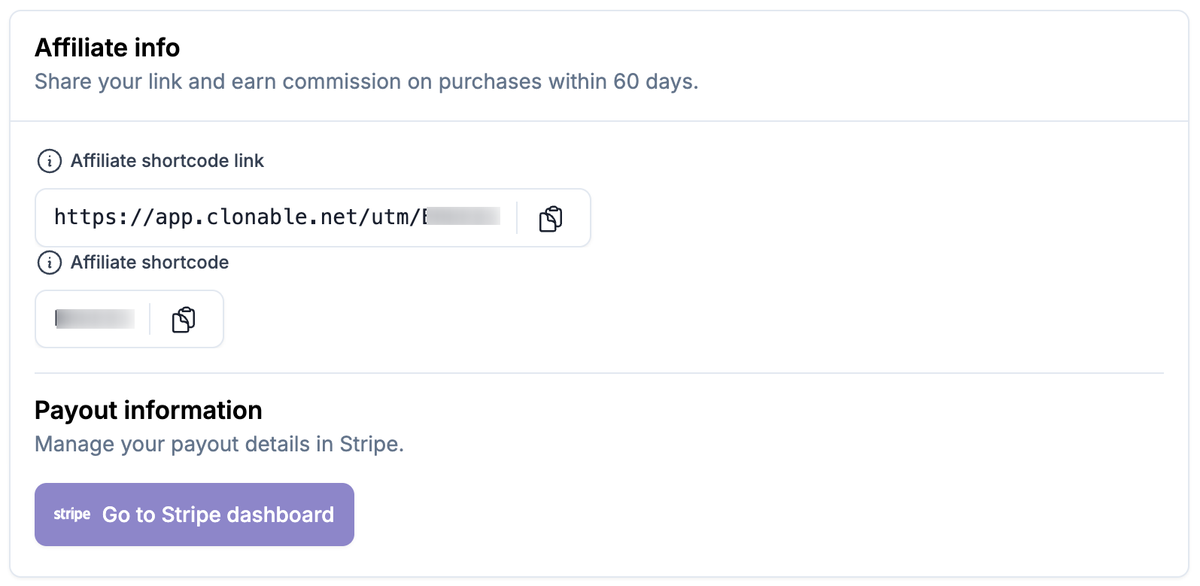
Open the Dashboard. The Affiliate info block shows:
- Affiliate shortcode link: your personal link. This is the link you share
- Affiliate shortcode: just your partner code, without the rest of the link
Select the copy icon next to the link or code to copy it.
Link to a specific page
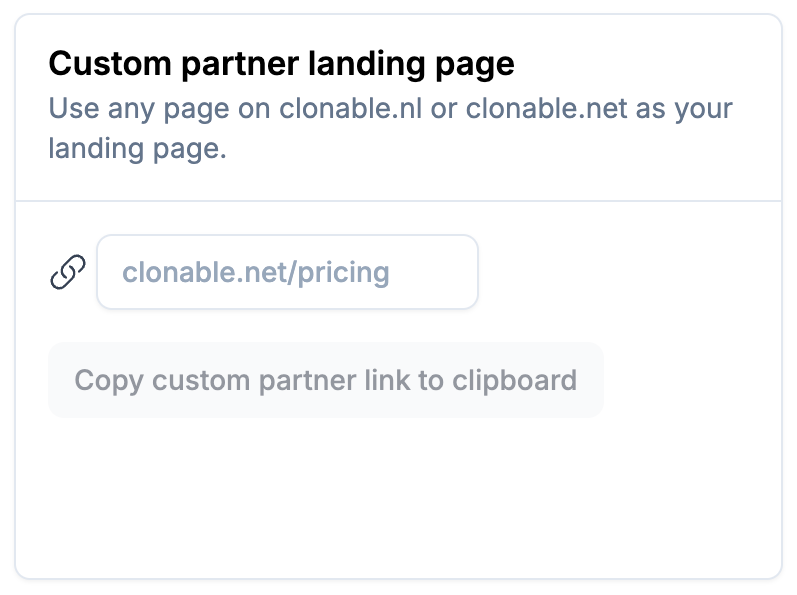
Want to send your customer to a particular page, such as the pricing page? Enter a page on clonable.nl or clonable.net in the Custom partner landing page block and select Copy custom partner link to clipboard. You then get an affiliate link that opens that page.
Share the link and check the connection
Your affiliate link uses a cookie. When your customer clicks the link, the browser remembers for 60 days that the customer came through you. If the customer signs up within that period, Clonable connects the sign-up to your partner account. Keep the following in mind:
- Ask your customer to sign up on the same device and in the same browser in which they opened the link.
- If the customer deletes or blocks cookies, the connection may fail.
- Want to be sure of the connection? Add the customer as a lead before they sign up.
- Share the full link. Ask your customer to open it and sign up with Clonable.
- Open Manage leads. Once your customer signs up through your affiliate link, they appear in the Leads tab with the same statuses as a lead you add yourself. Check that the Status column shows Pending.
You only earn commission for a customer who is connected to your partner account. Open Manage leads in the left-hand menu and check that your customer shows Pending in the Status column before your customer starts a paid subscription. Pending means the customer account is connected to your partner account.
Is the customer missing? Contact Clonable through the chat in the bottom-right corner of the dashboard or through Support > Ticket center. Ask your customer to wait with payment until Clonable has checked the connection. See how to connect a customer.
Find out when you earn commission.